Rapid Vector ID > Kiosk
AI Imaging System for Mosquito, Tick & Vector Collections.
Year
2025
Timeline
4 months
Scope
UX and UI design
Usability testing
Role
As the sole UX designer, I led the overall design direction of the project, while collaborating with the manufacturing engineer, 2 developers, and a product owner
Mission & Design Goal
The mission was to design an AI-powered system with a Kiosk Interface that enables rapid, accurate identification of mosquito, tick and other vector specimens, supporting scientific research facilities in streamlining collection, cataloging, and analysis workflows. | ||
|---|---|---|
The design goal was to create an intuitive, all-in-one touchscreen interface that simplifies specimen collection, automates imaging and identification, and minimizes operator training time through clear visual guidance and integrated data processing. | ||
|---|---|---|
Problem
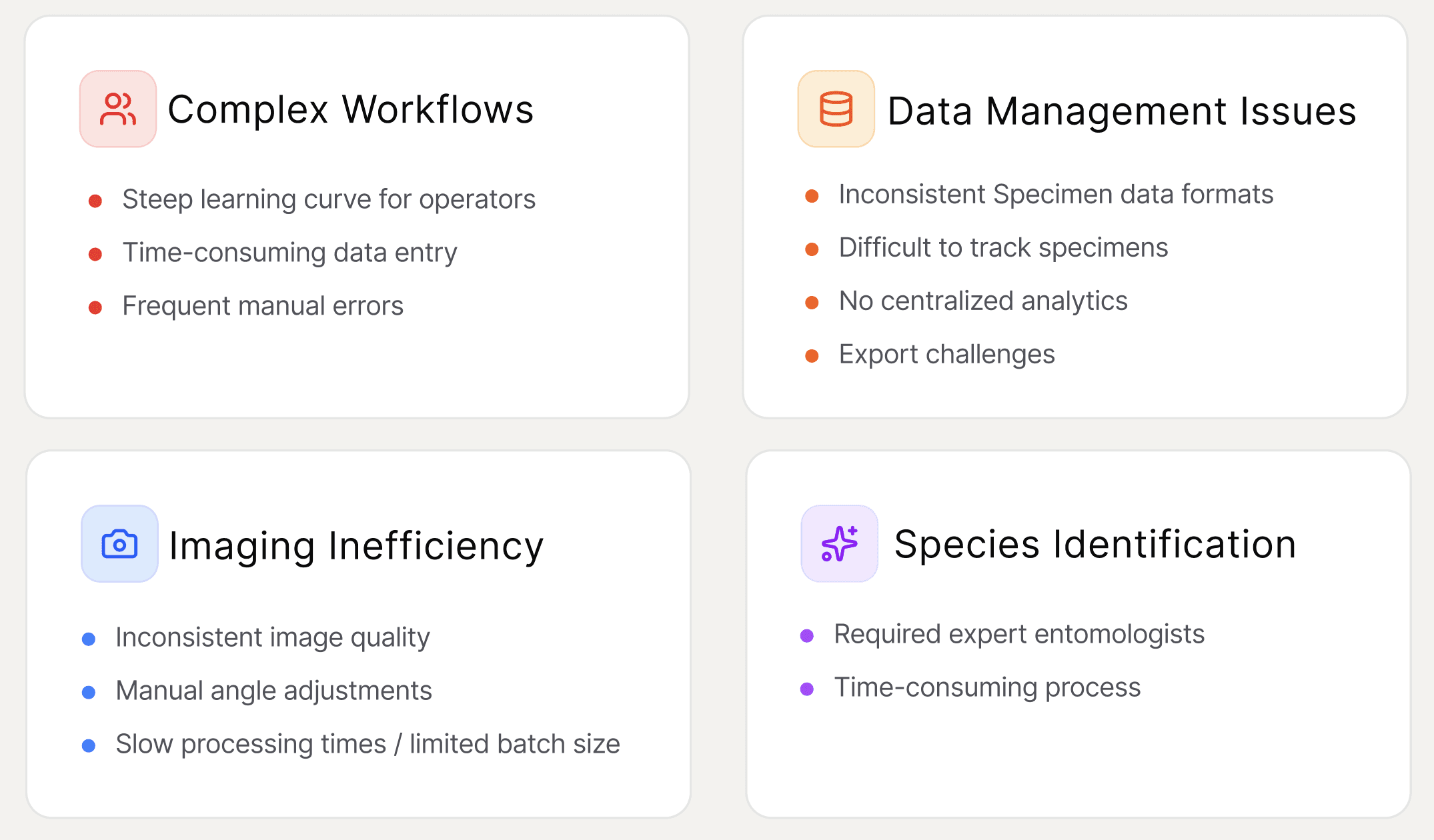
Scientific research facilities needed an efficient, user-friendly system for collecting and cataloging mosquito, tick & other vector specimens with minimal training requirements.
Exploration & Discovery
User Research | ||
|---|---|---|
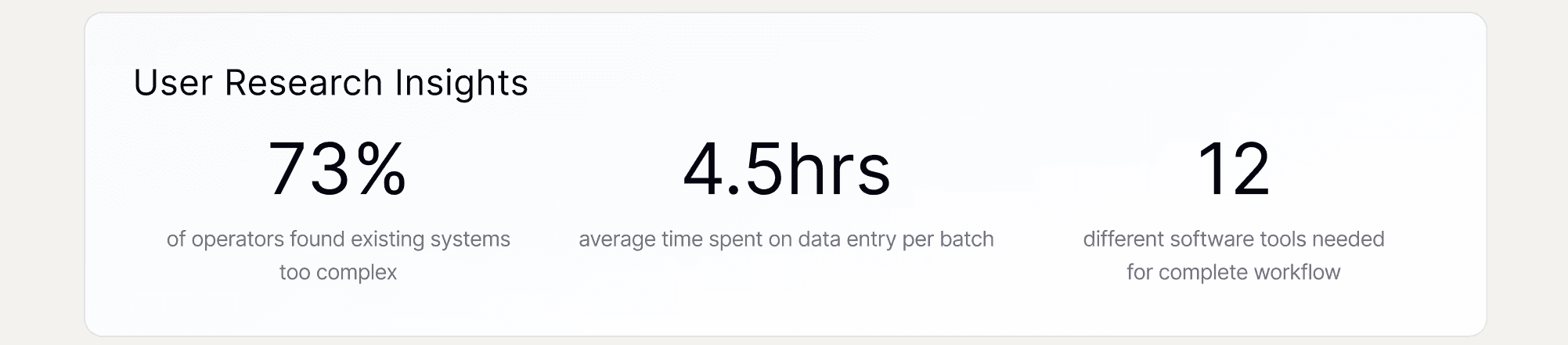
During the exploration stage, we conducted user research, interviews, and workflow observations to uncover real-world challenges faced by operators. The insights revealed critical usability gaps, guiding us toward a simpler, more intuitive workflow design.
Journey Map | ||
|---|---|---|
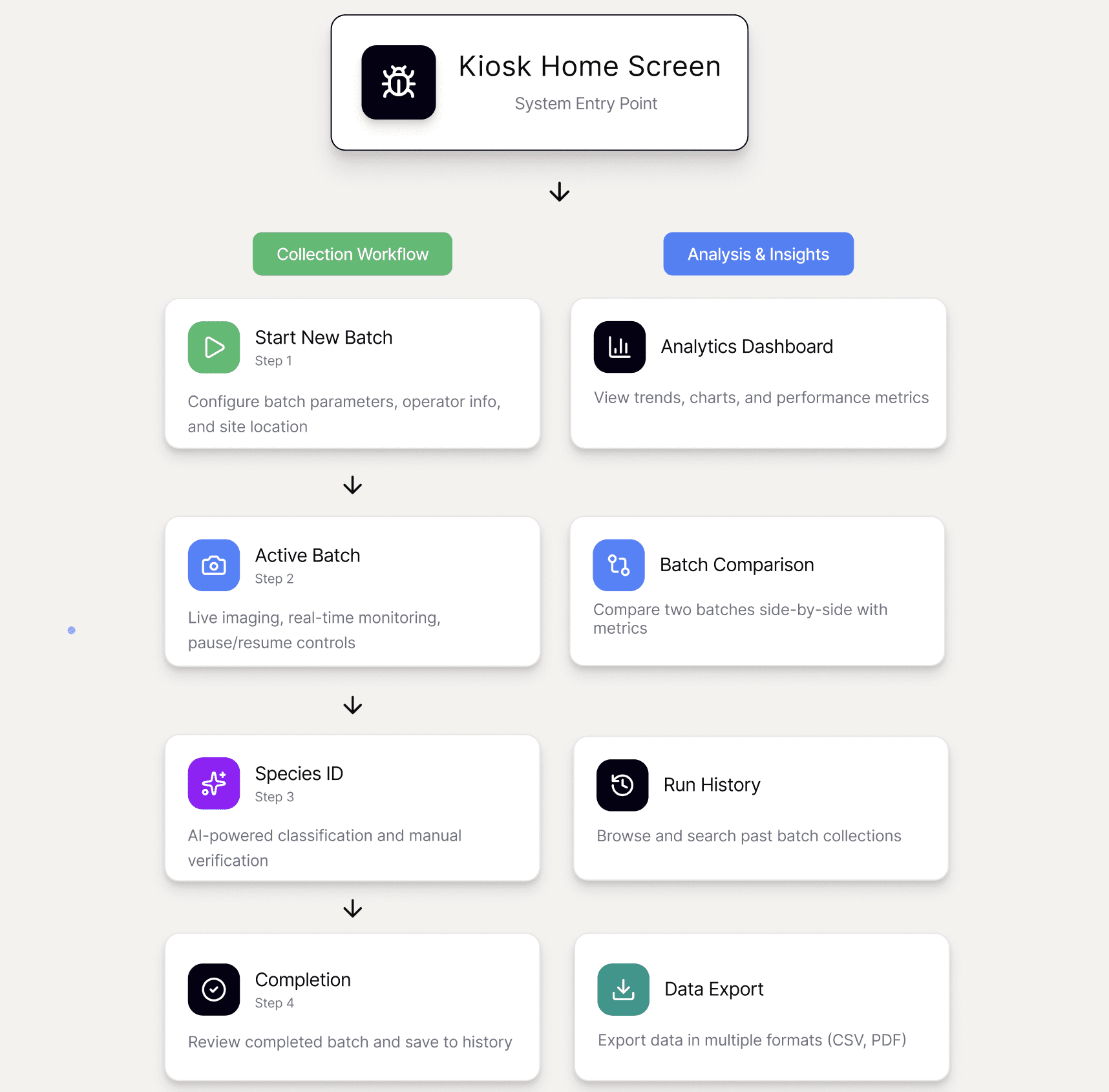
The kiosk flow was designed to support a progressive, task-oriented workflow, helping users move confidently from setup to insights with minimal friction.
Design System |
|---|
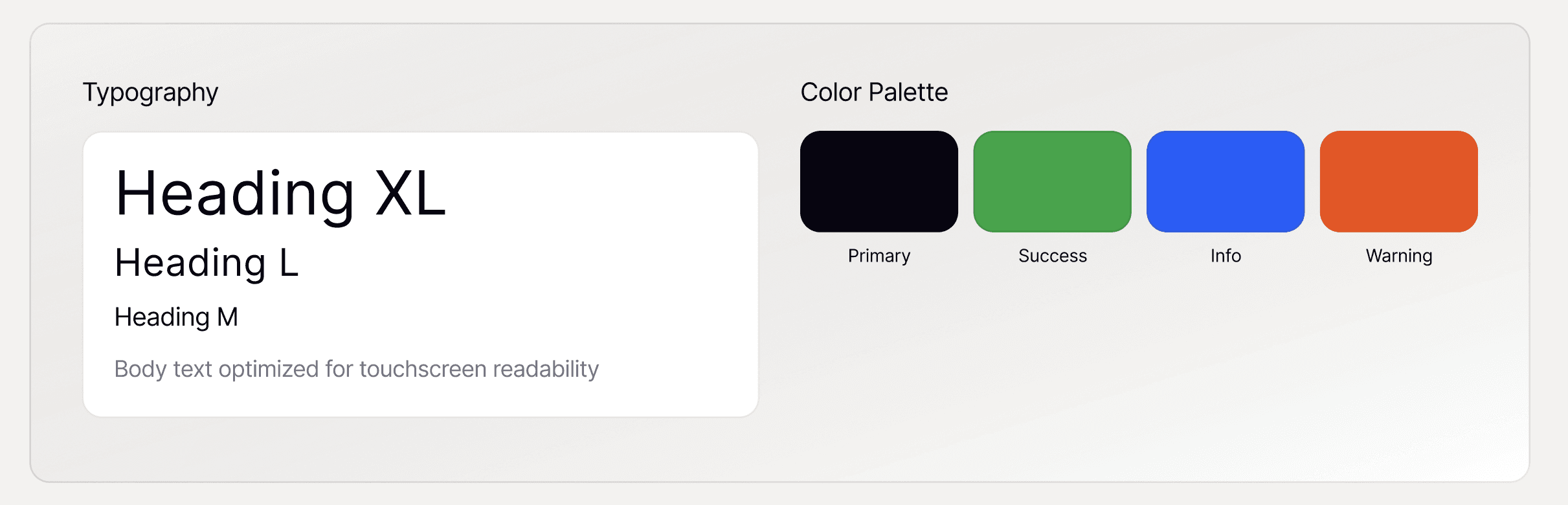
A cohesive design system was developed to ensure clarity, accessibility, and scalability across the kiosk interface, balancing visual hierarchy with touchscreen readability.
My Design Process
Low-Fidelity Wireframes | ||
|---|---|---|
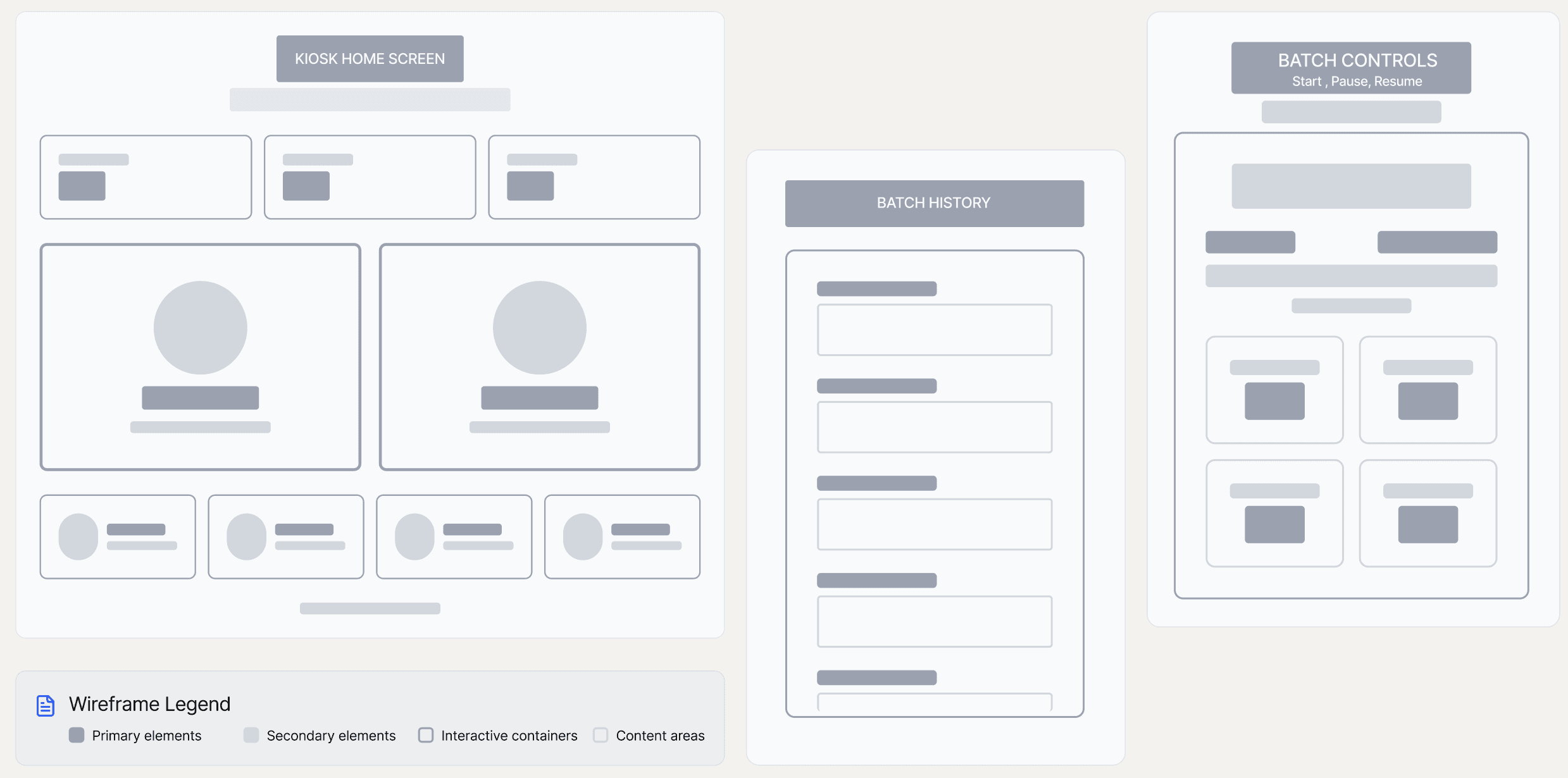
The low-fidelity wireframes helped visualize core workflows, information hierarchy and iterate based on early feedback. The goals were to:
Create clear visual hierarchy for laboratory/field environments
Design landscape-optimized layouts for kiosk displays
Provide real-time monitoring and batch management controls
Solution Design
The solution designs transform complex procedures into through clear layouts, guided workflows, and overall user satisfaction in research environments.
Core User Flows | ||
|---|---|---|
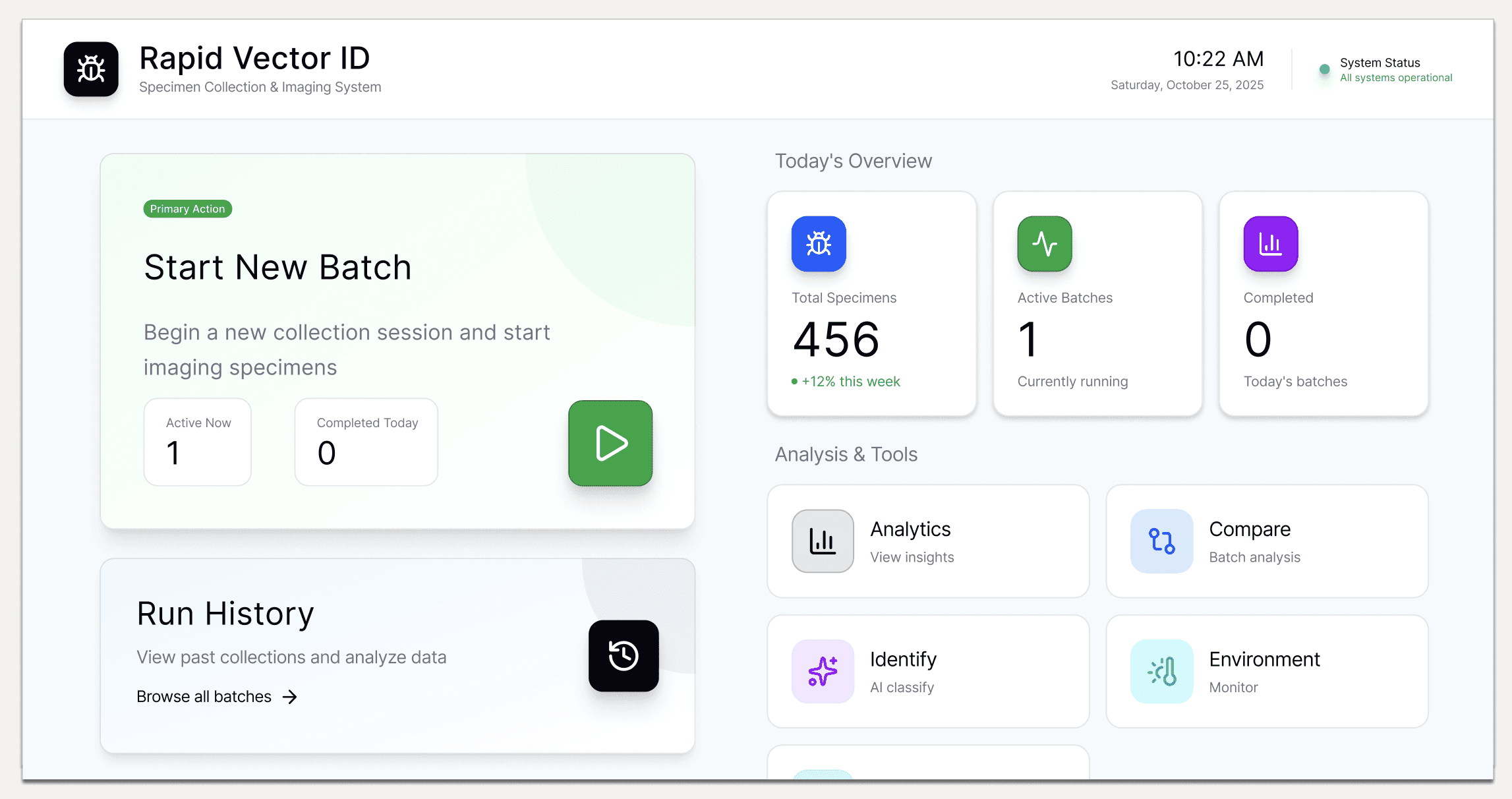
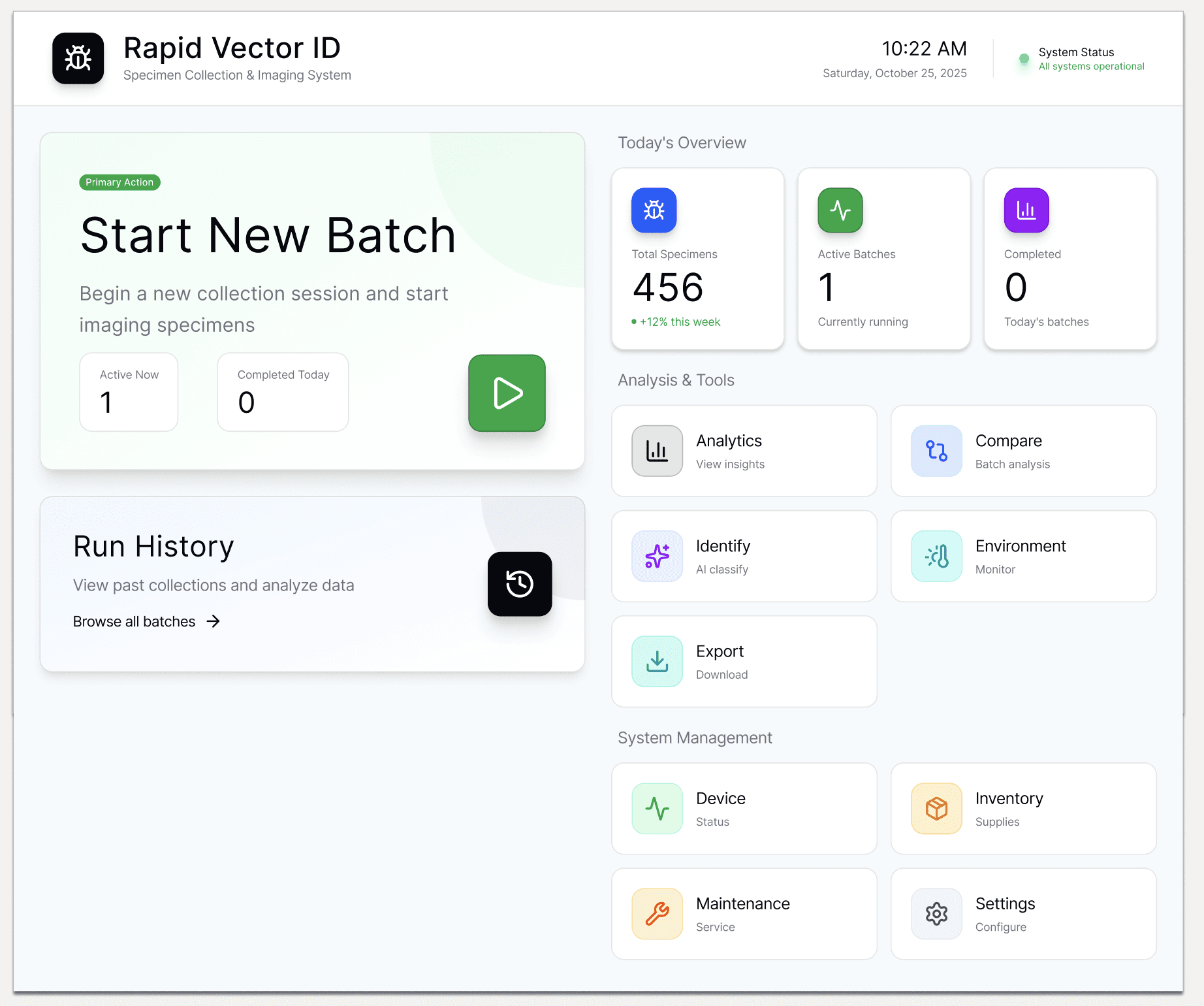
🧭 Kiosk Home Dashboard
Provides a centralized control hub where operators can start new batches, monitor active sessions, and access analytics — ensuring a smooth workflow from collection to export.
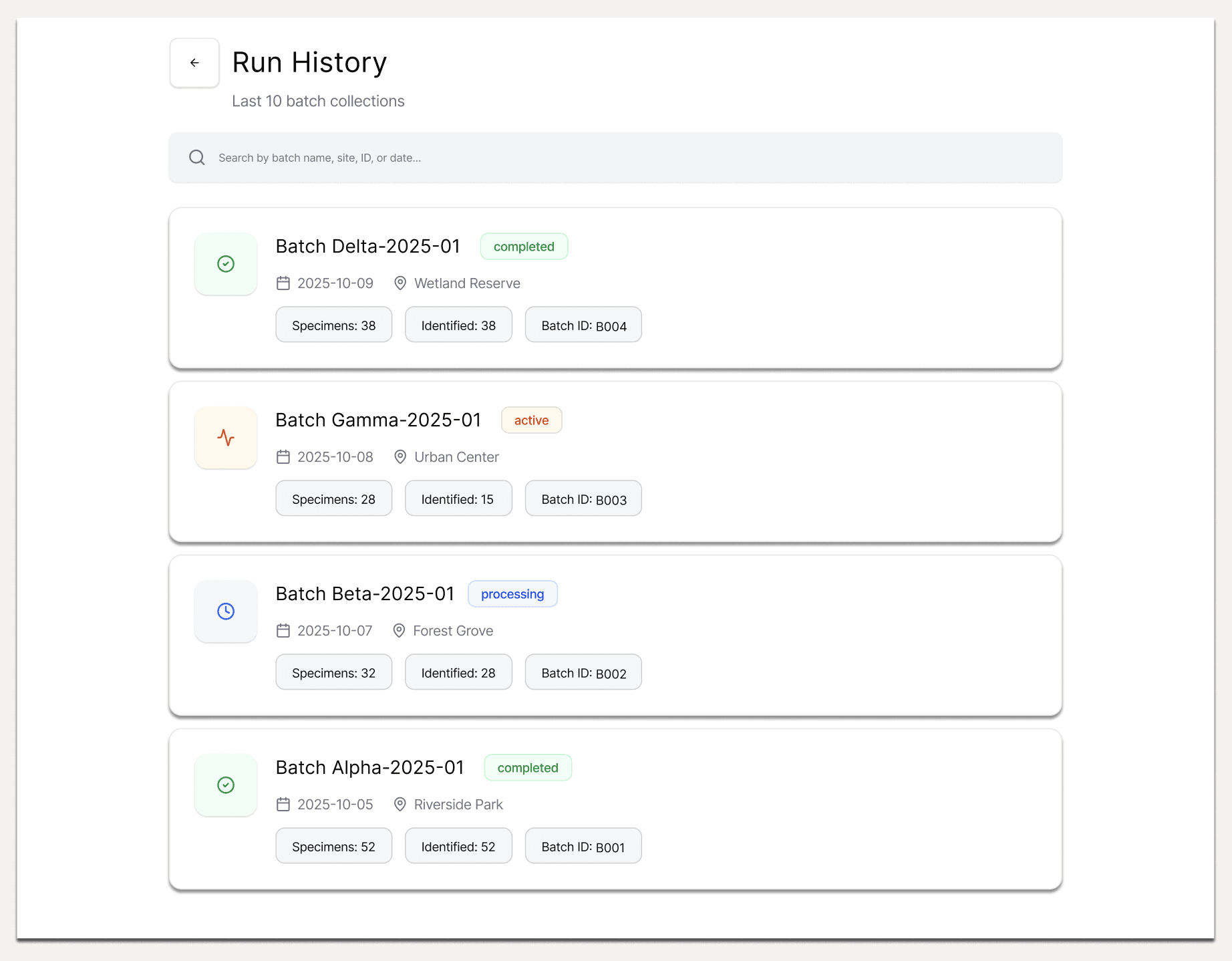
📜 Run History
Displays a comprehensive log of previous batch collections, allowing users to track progress, review outcomes, and quickly search by site, date, or batch ID.
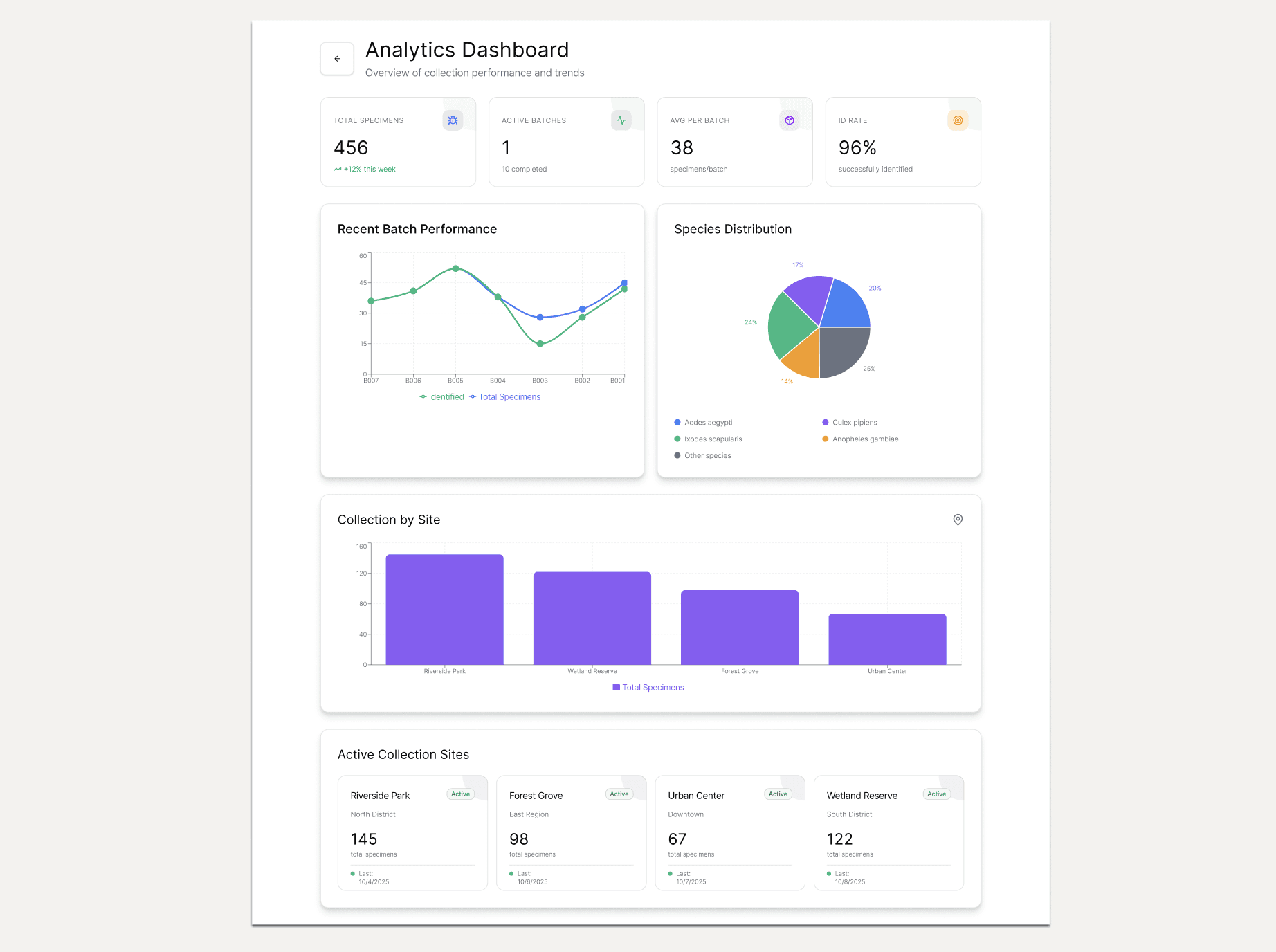
📊 Analytics Overview
Presents real-time metrics and performance trends across specimens, sites, and identification rates — helping researchers make data-driven decisions.
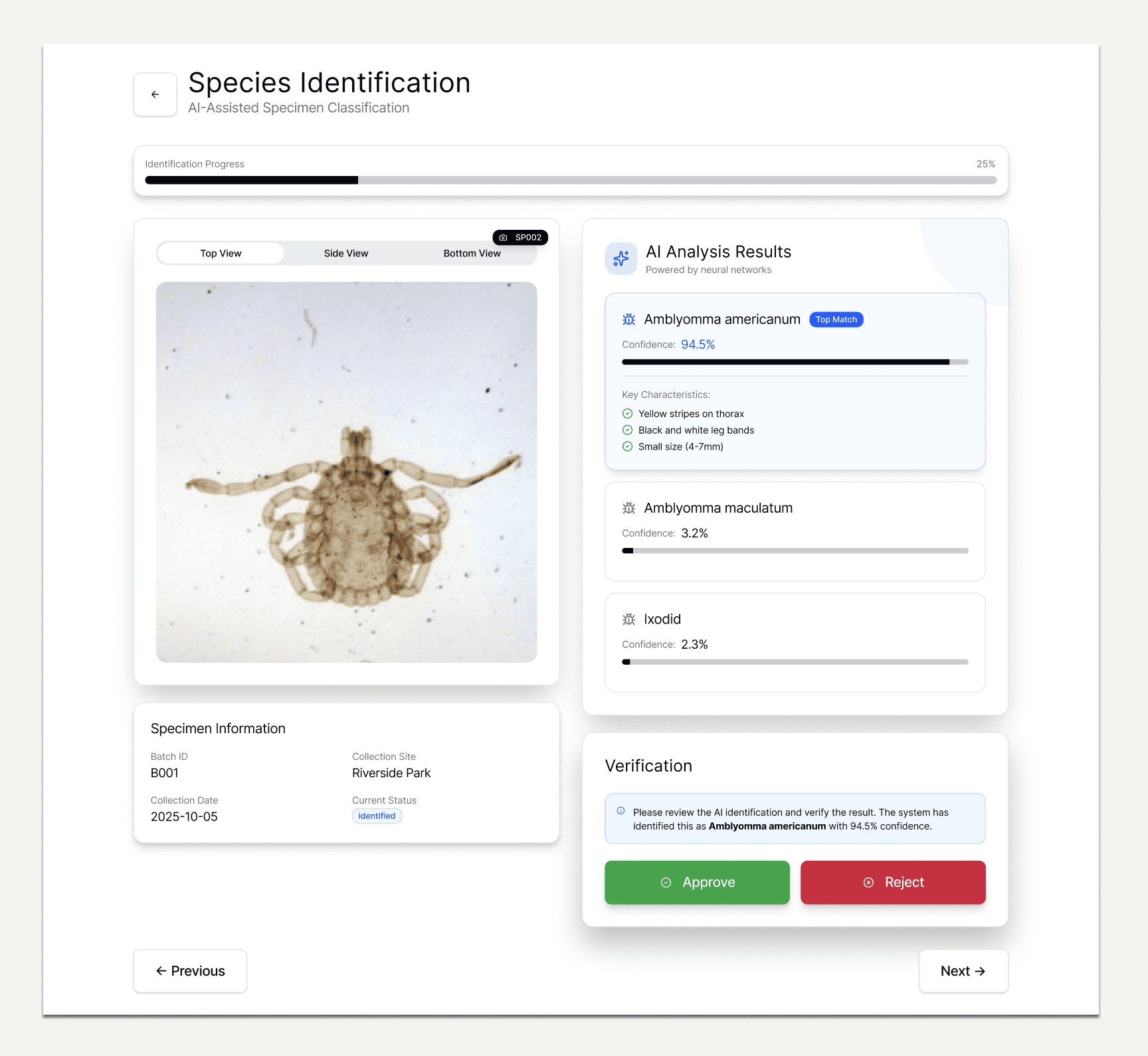
🧬 Species Identification & Verification
Displays AI-generated species identifications alongside specimen images for quick review. Operators can verify, edit, or reclassify results, ensuring accuracy and consistency across collections.
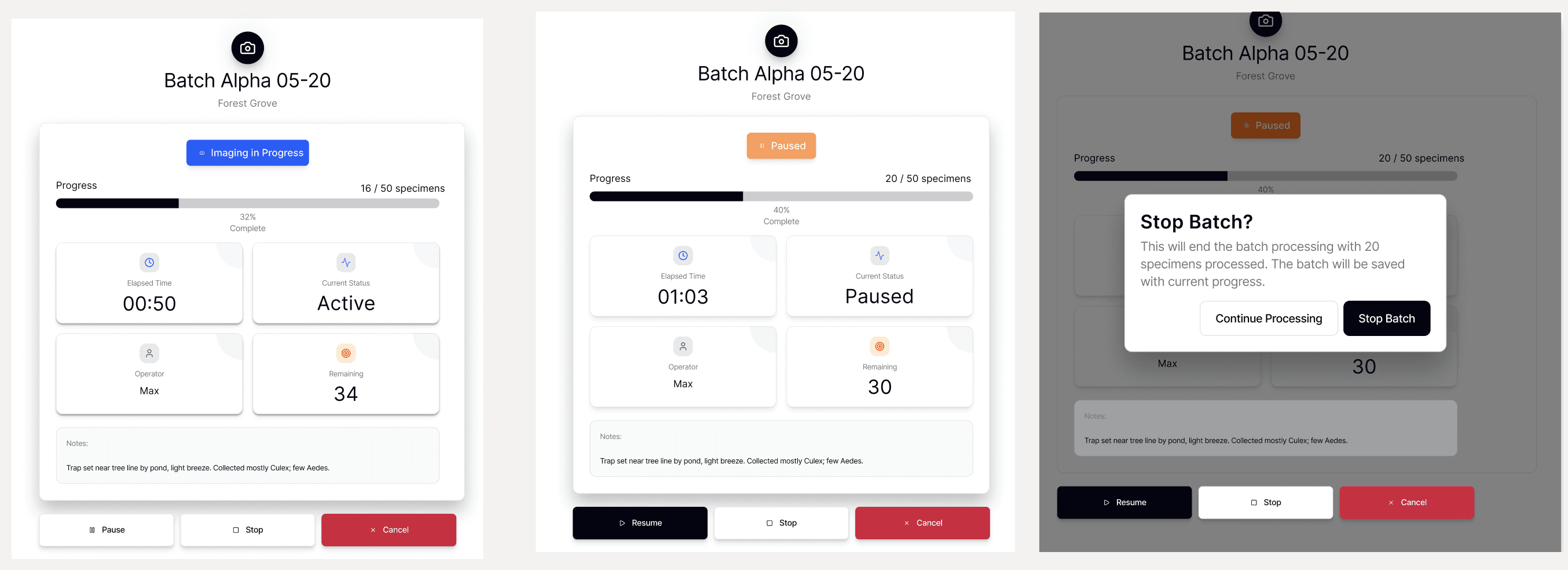
⏳ Batch Controls - Start / Pause / Stop the batch
Enables operators to view live imaging progress, track specimen counts, and monitor real-time status updates. Users can pause, resume, or stop batches, add notes, and manage on-site collection details directly from the kiosk.
Future Design Challenges
Project Impacts
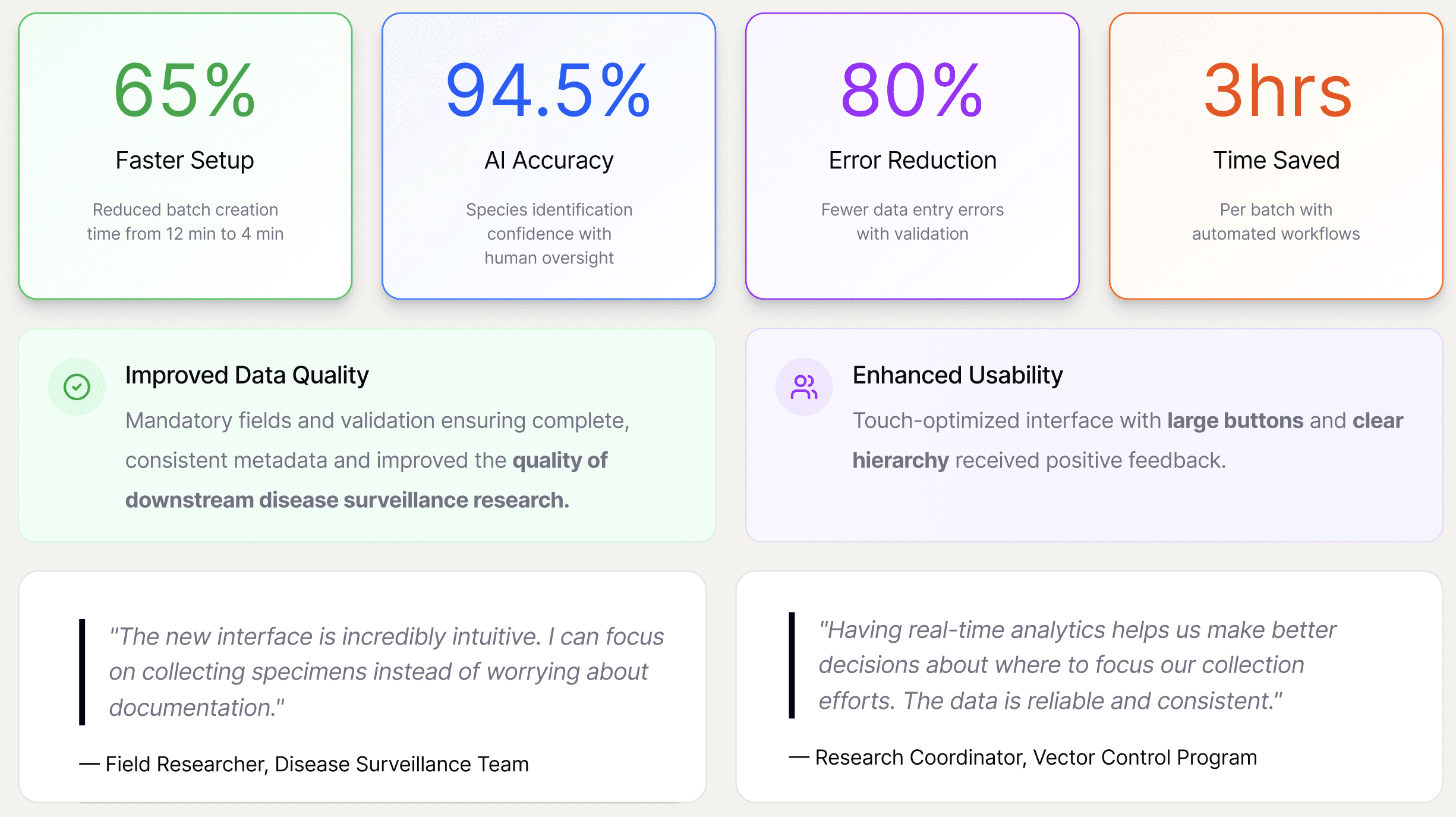
The Rapid Vector ID significantly reduced the time required for specimen collection and identification, enabling faster turnaround and higher throughput in research workflows.