AcuTick AI
Precision-powered AI for real-time tick identification and risk analysis.
Year
2025
Timeline
6 months
Scope
User research & analysis
UX and UI design
Usability testing
Role
As the sole UX designer, I led the overall design direction of the project, while collaborating with 3 developers and a product owner
Mission & Design Goal
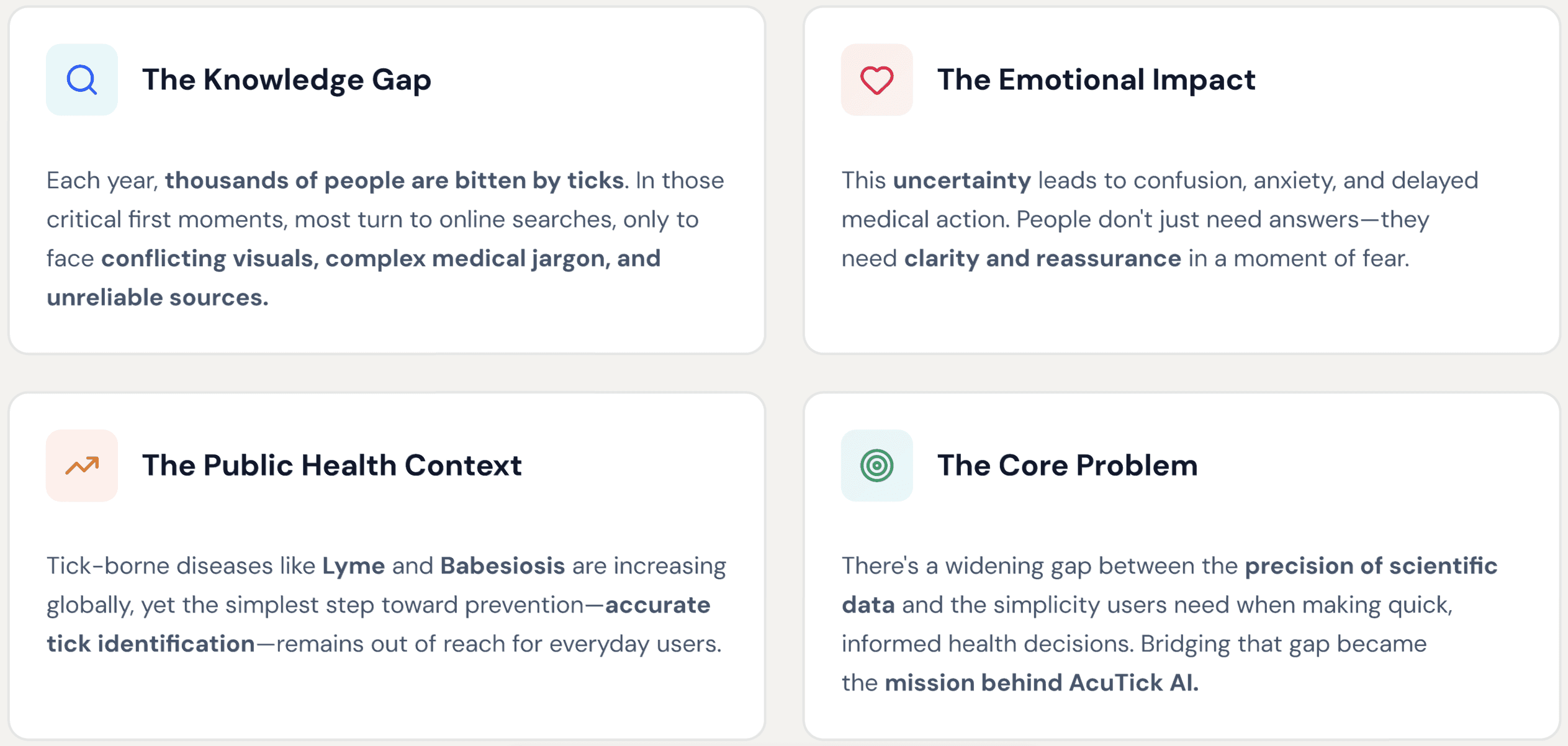
When a tick bite happens, uncertainty can be scary. Most people don’t know which tick bit them, what diseases it might carry, or what steps to take next. That’s where AcuTick AI comes in — a human-centered app designed to turn complex science into reassurance. |
|---|
My goal was to create an experience that helps users remain calm, after discovering a tick by providing instant, reliable and empathetic information. From identifying tick species to tracking bites and symptoms, AcuTick AI empowers users with knowledge, control, and peace of mind. |
|---|
Problem
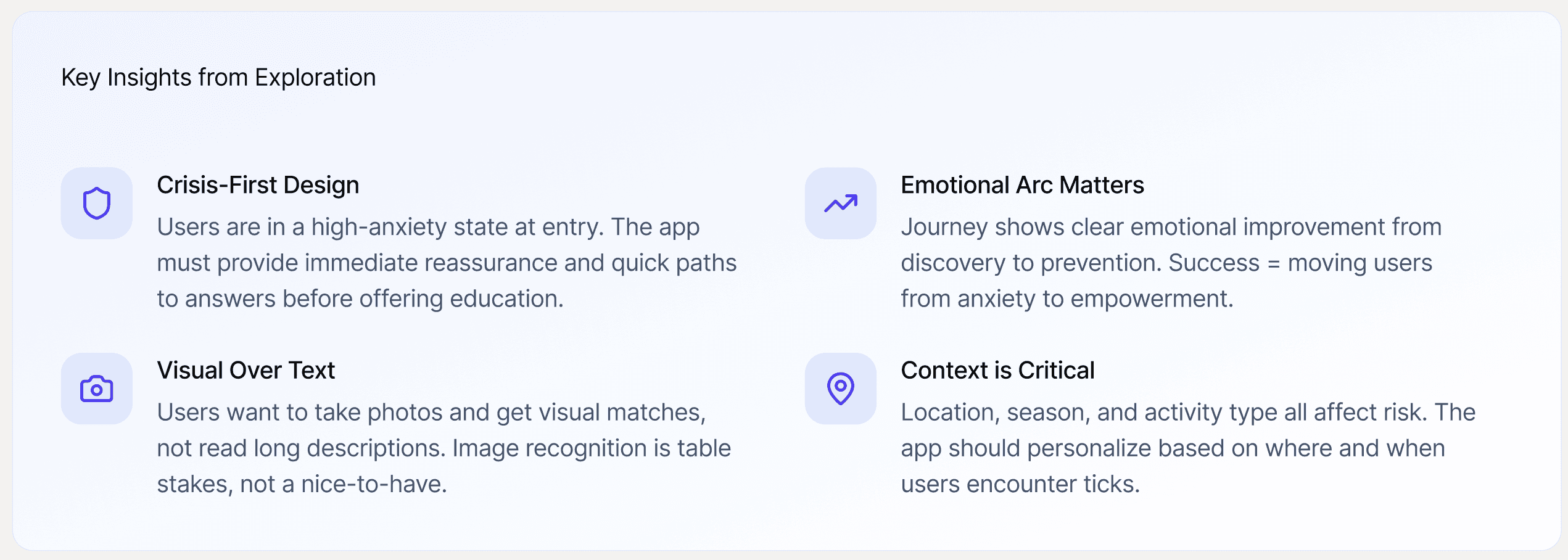
Exploration & Discovery
In this early discovery phase, I also explored the broader ecosystem through:
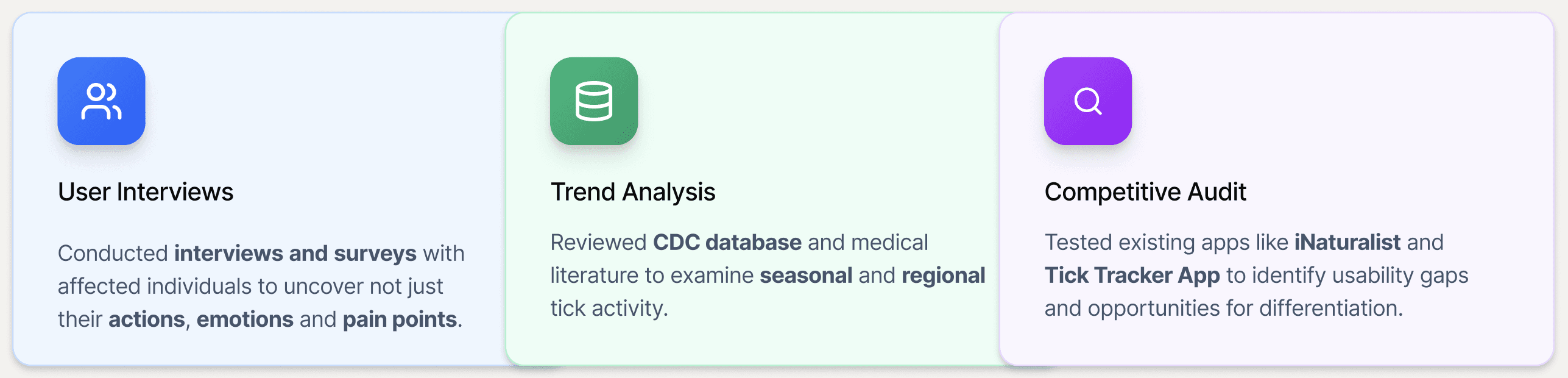
Other Discovery activities conducted:
Market Research: Analyzed public health data and emerging trends in digital diagnostics.
Stakeholder Interviews: Collaborated with healthcare professionals to understand diagnostic workflows and information gaps.
Brainstorming Sessions: Ideated early concepts around user reassurance, accessibility, and trust-building.
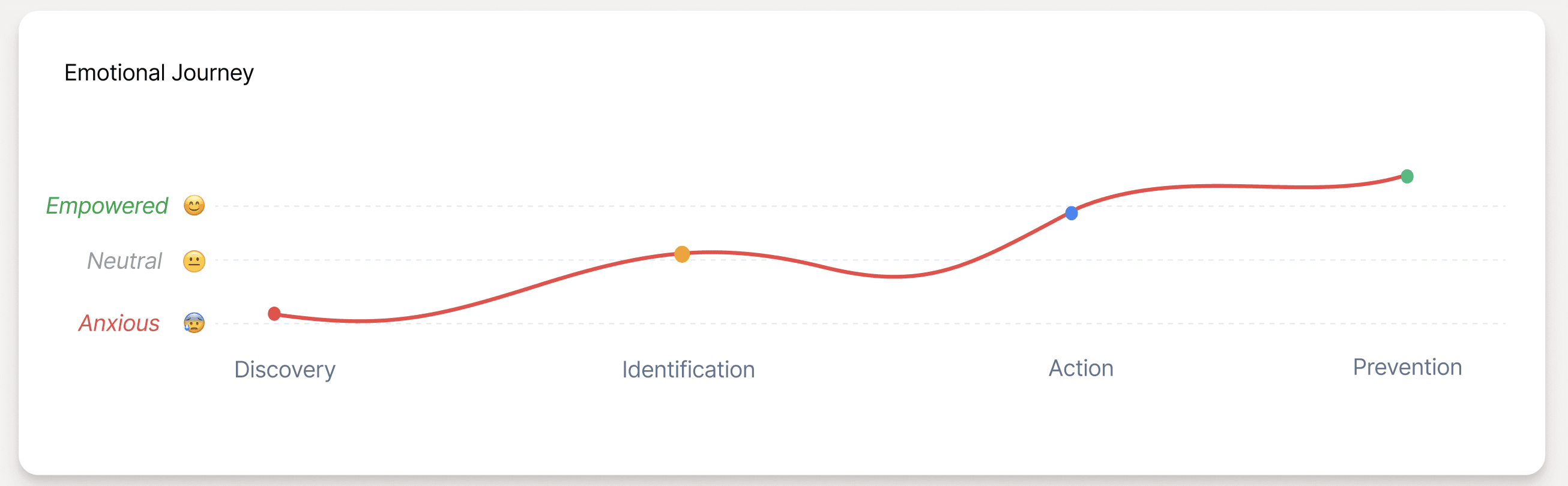
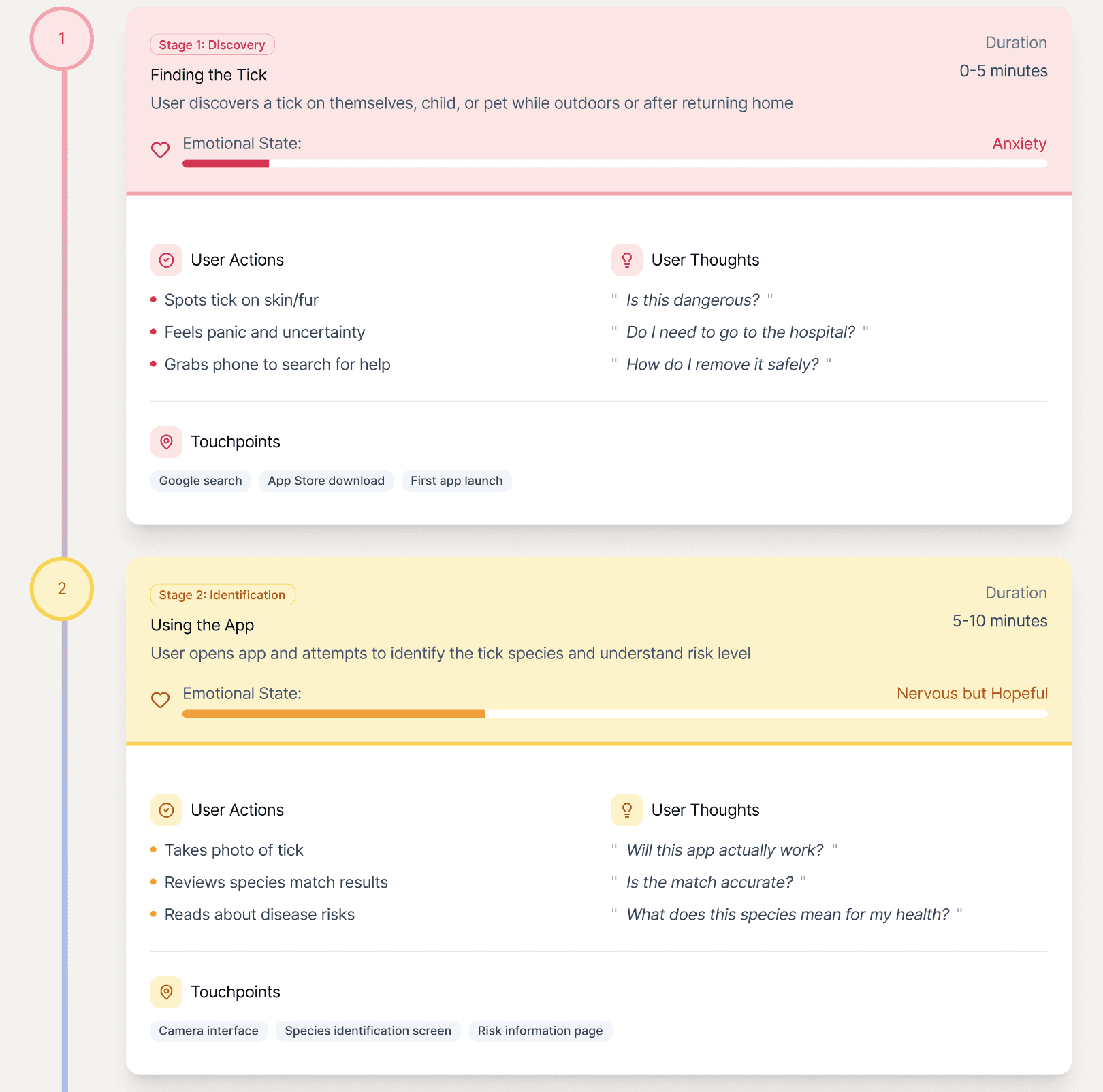
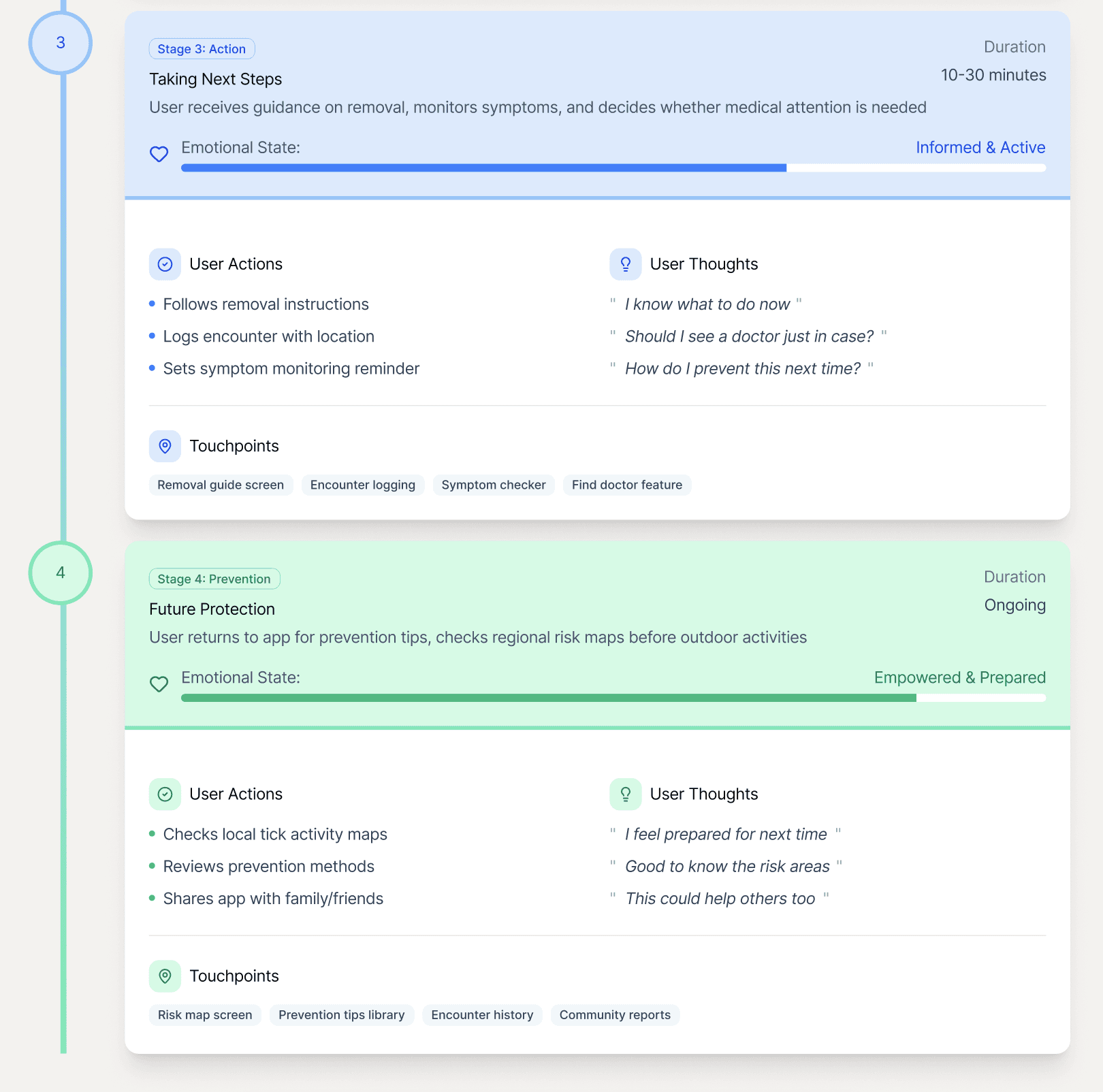
Journey Map |
|---|
My Design Process
Phase 1: Information Architecture |
|---|
I began by mapping the core user journeys - the structure prioritized quick access to critical tools (like tick ID, symptom checker, and bite log) while ensuring secondary features supported user confidence and learning.
Scan : Identify tick species using AI.
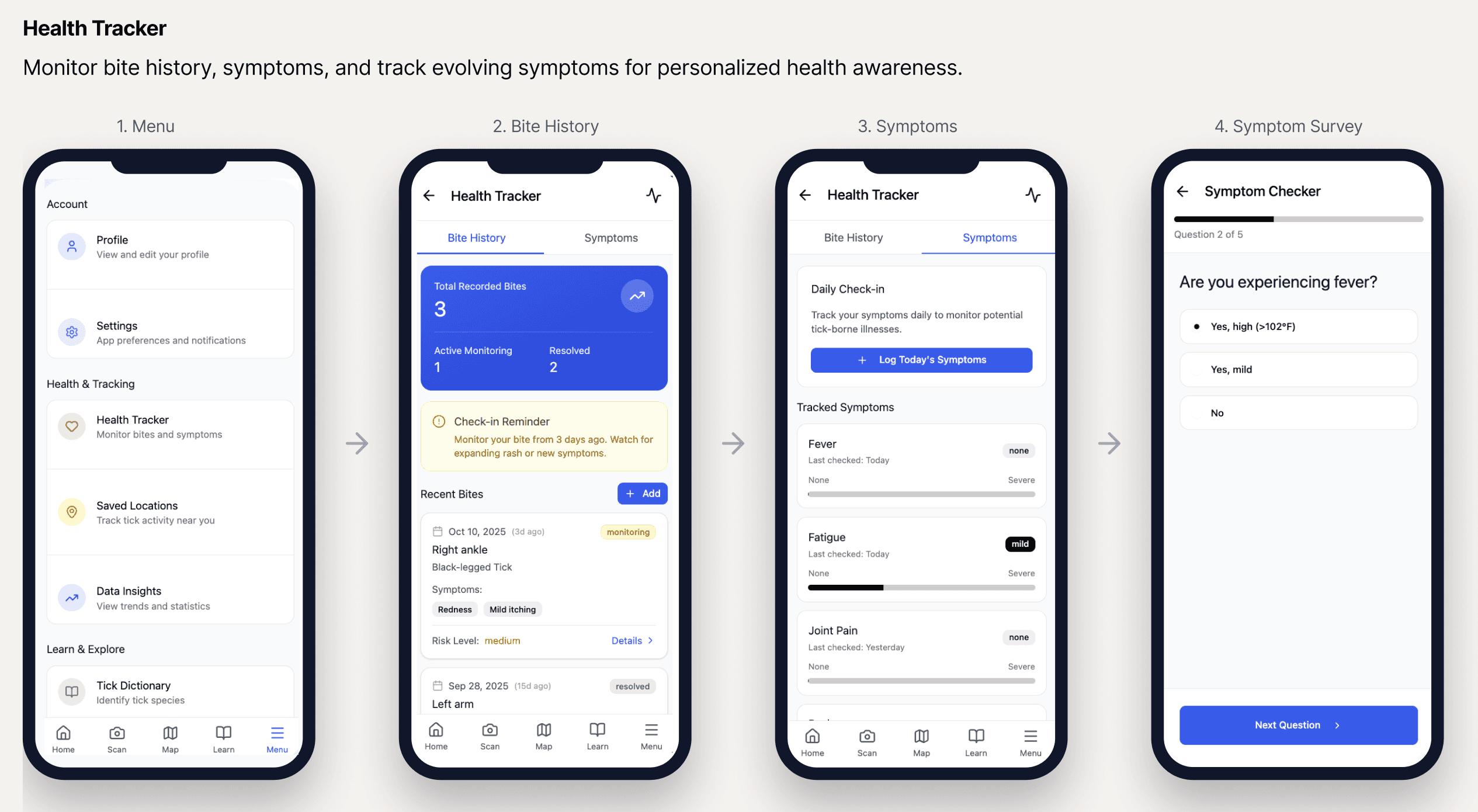
Health Tracker: Log bites and monitor symptoms.
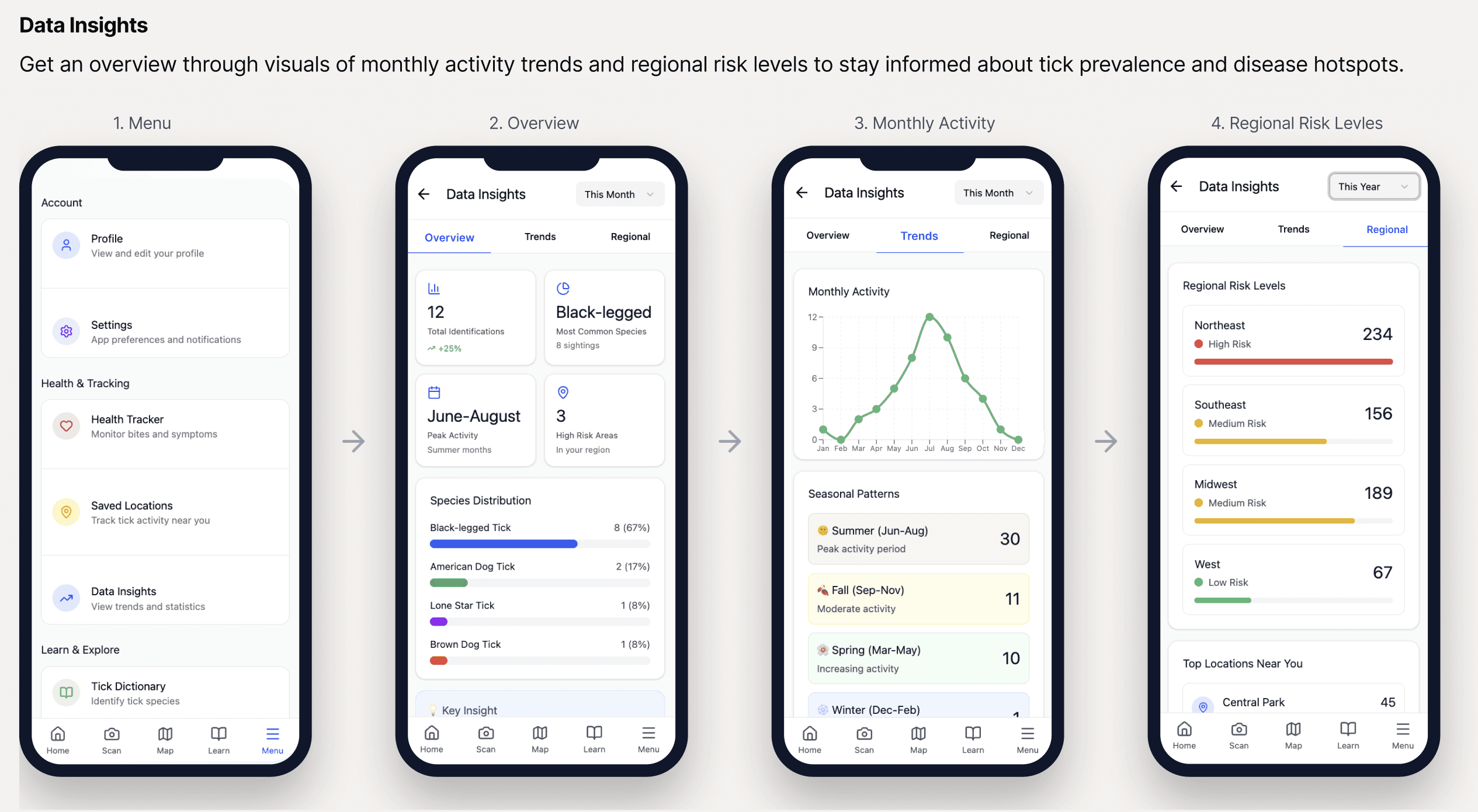
Insights: Visualize regional and seasonal patterns.
Learn – Browse educational resources.
Phase 2: Wireframes & User flows |
|---|
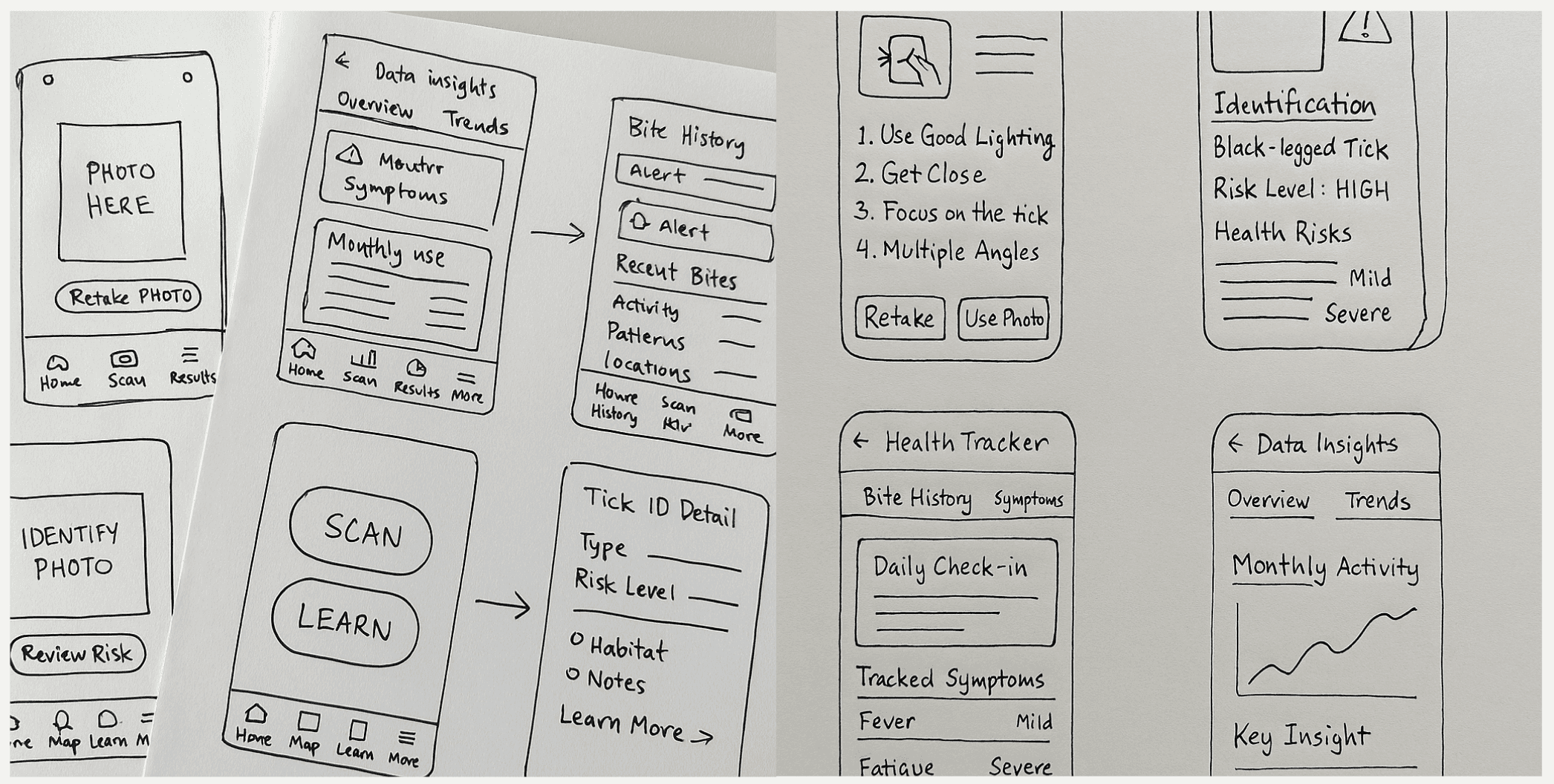
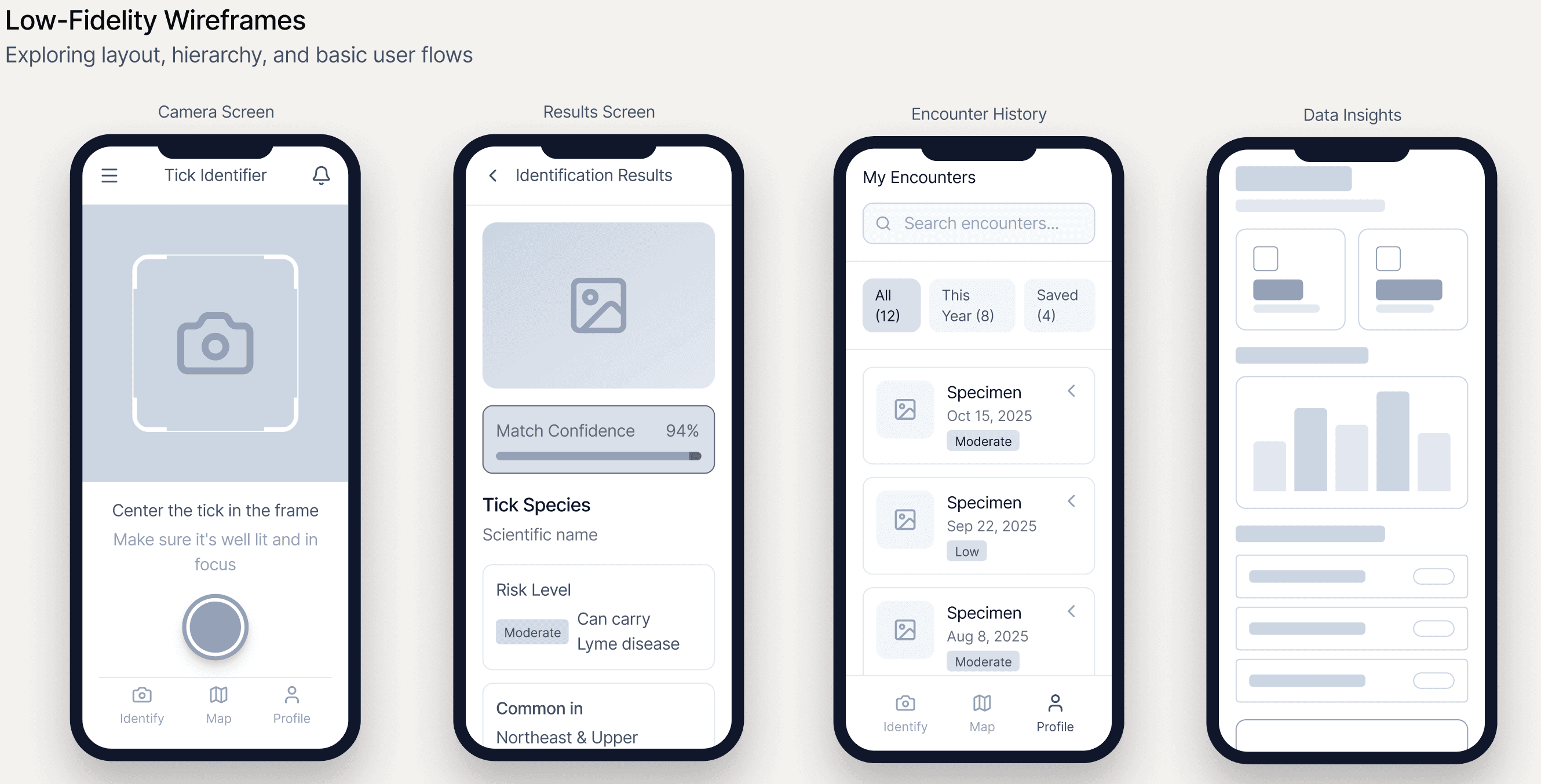
I explored different layouts for image uploads, results pages, and symptom logging — testing how users interpret feedback and what level of guidance felt most reassuring.
Through multiple iterations, I refined navigation patterns and interaction elements to create a seamless, trustworthy flow — one that balances clarity, empathy, and data accuracy.
Phase 3: Prototyping & Validation |
|---|
I created interactive prototypes and tested them with users and healthcare professionals.
Observed how users navigated critical paths like tick ID, symptom tracking, and education access.
Employed minimal typography and gentle motion to guide users subtly.
Added micro-interactions to build trust — small, meaningful feedback moments that reassured users their actions were recognized.
Solution Design
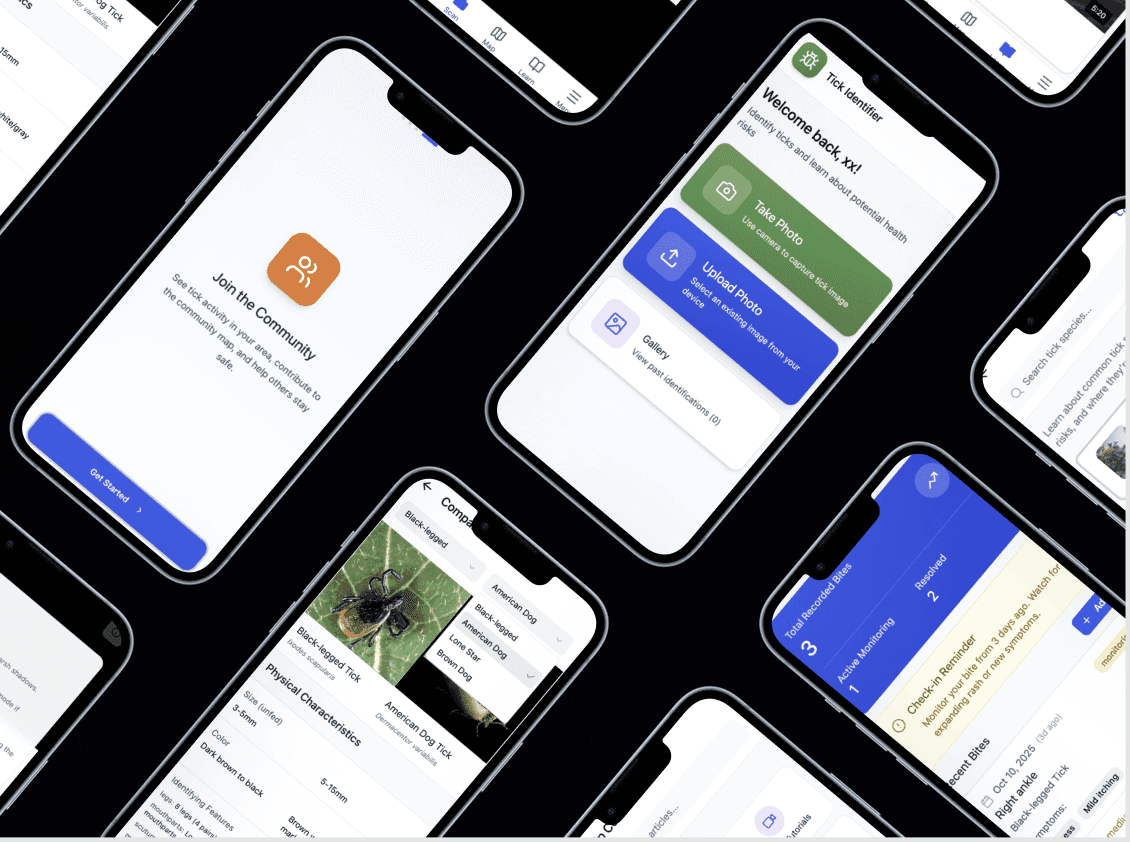
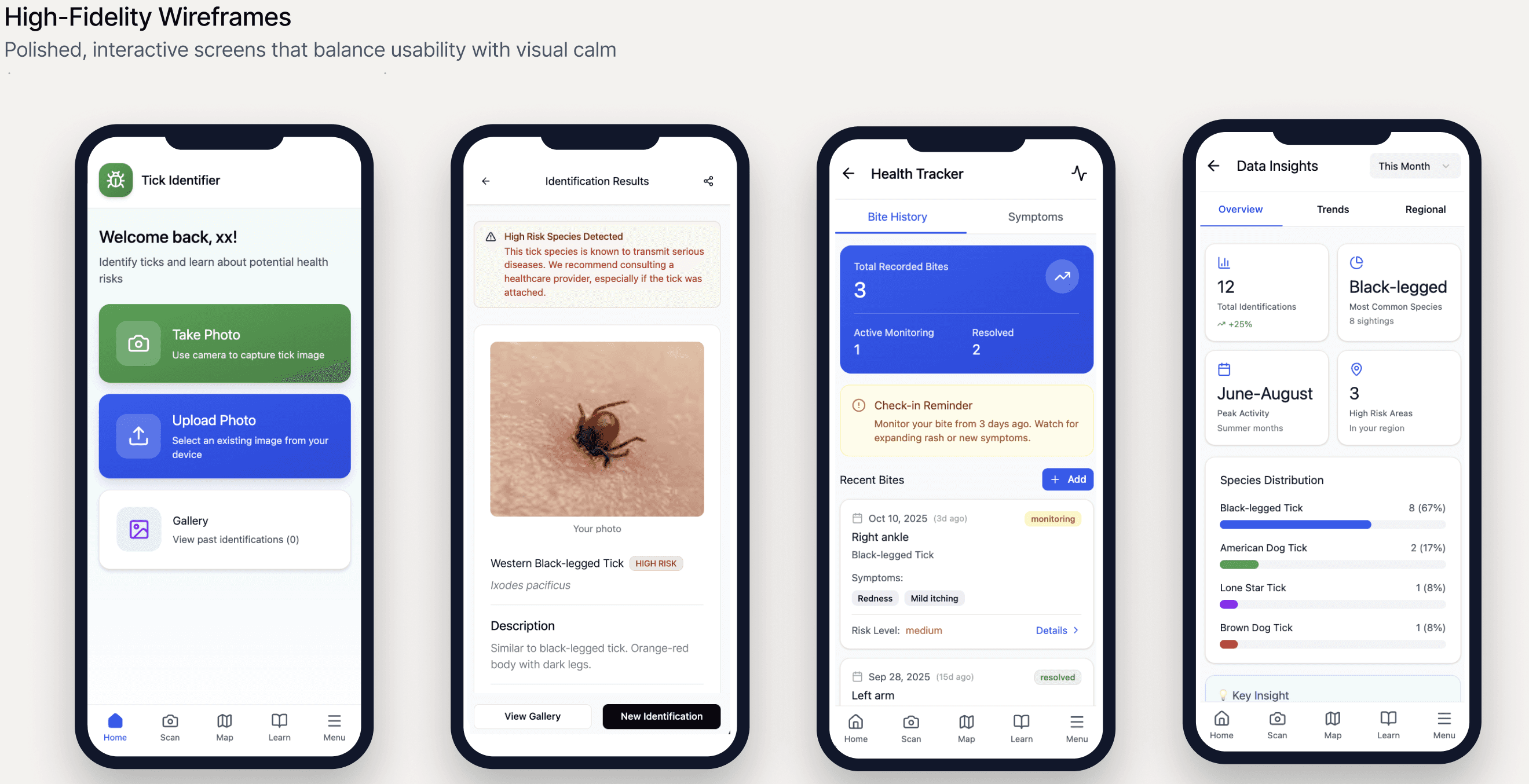
After validating the information architecture through low-fidelity wireframes, I translated user needs and research insights into polished, interactive screens. These high-fidelity prototypes demonstrate the complete user journey with production-ready visual design.
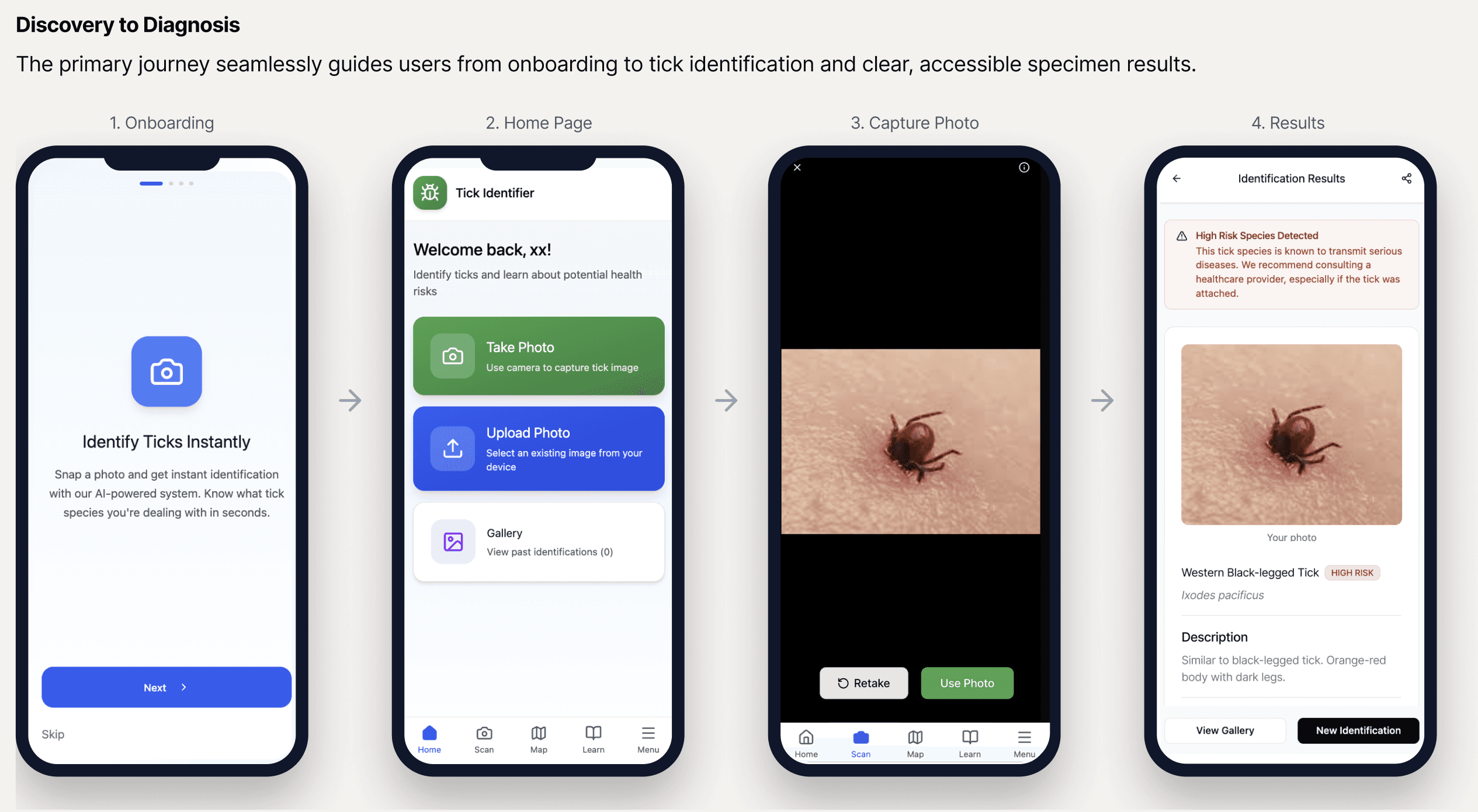
Core User Flows |
|---|
Future Design Challenges
Project Impacts
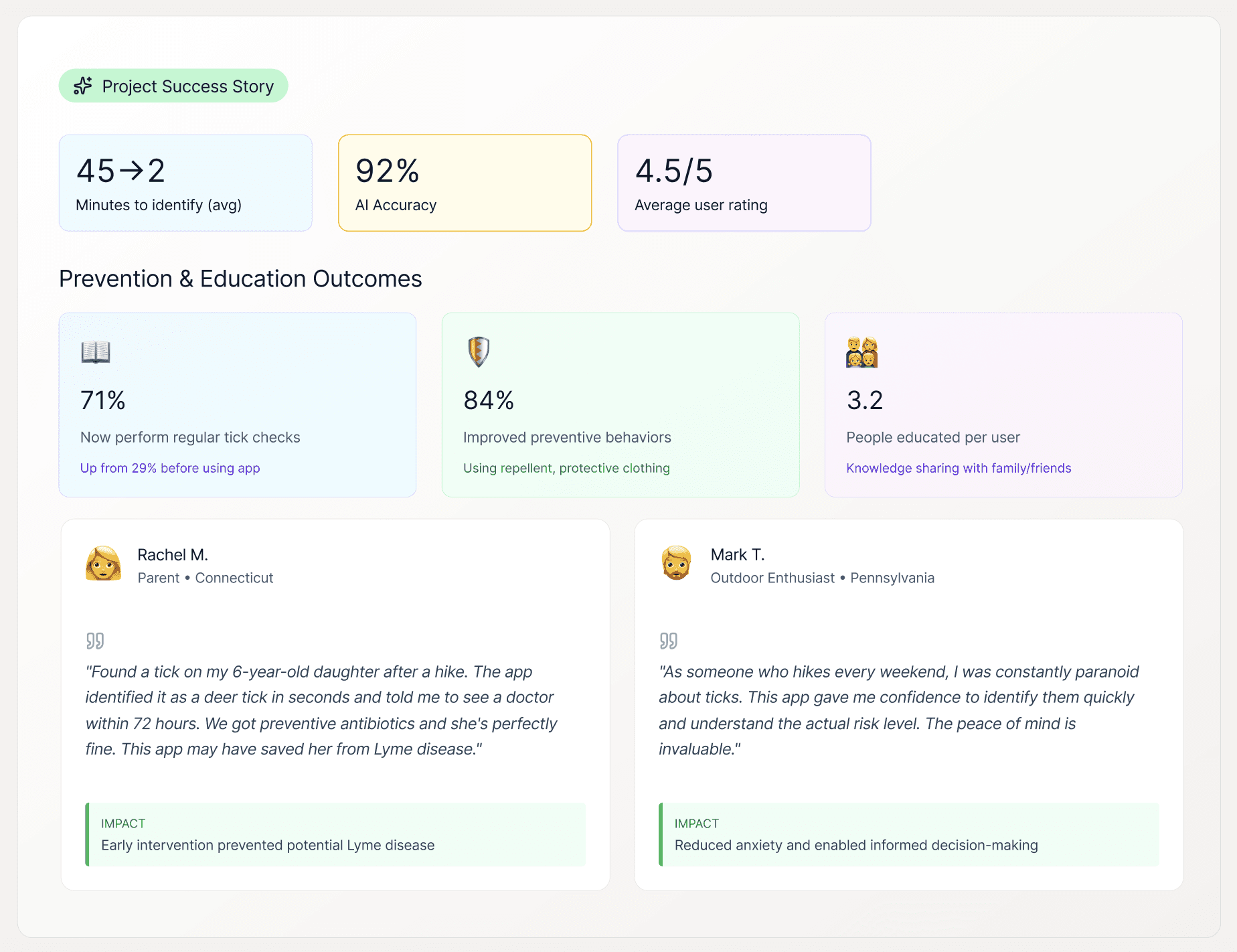
By combining AI technology with industry tick surveillance data, we created a solution that reduced identification time by 87% and helped users get timely medical care.